





How to Write Better AI Prompts: A Practical Guide for Business Teams
ByDishank Sharma

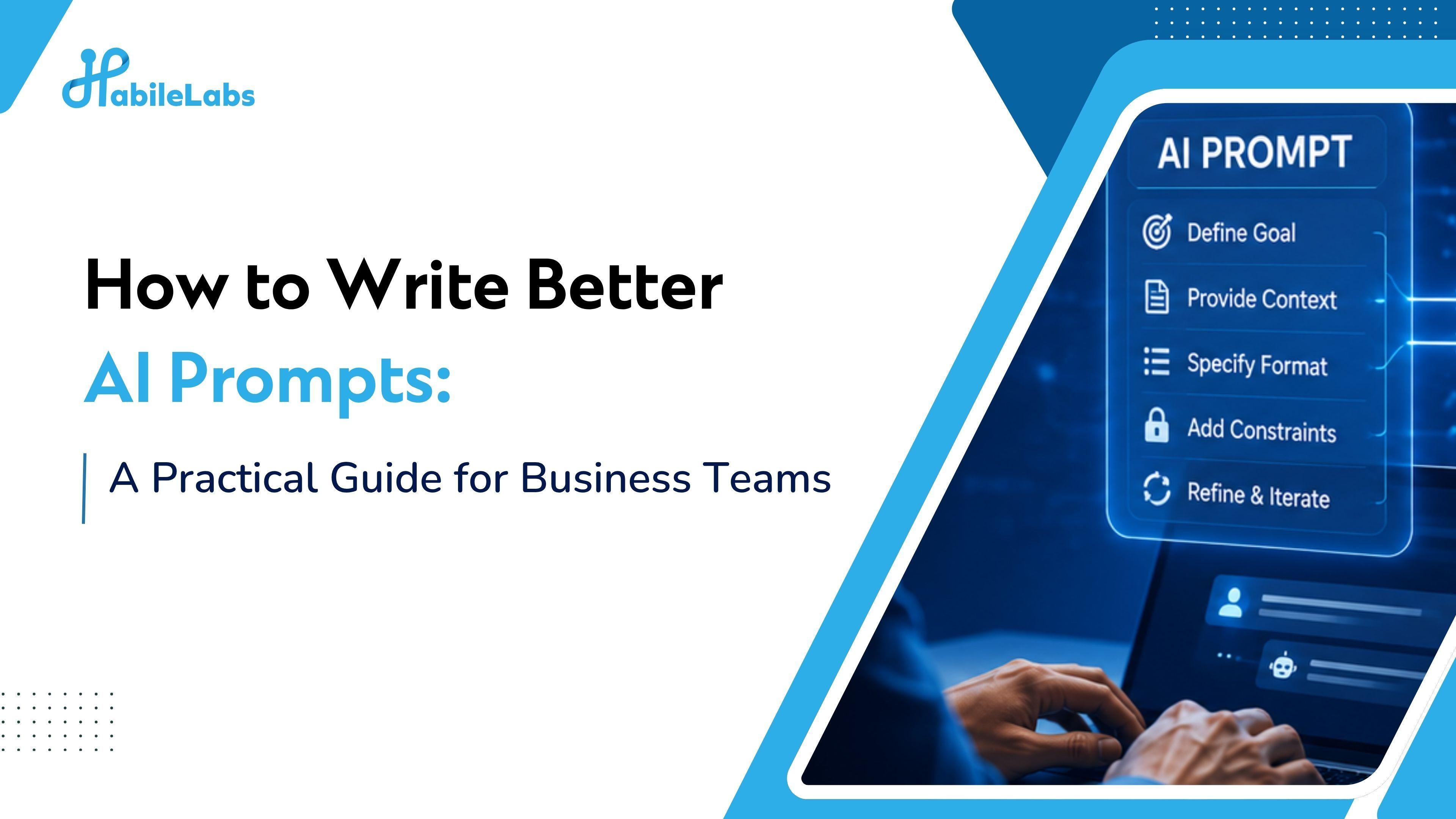
Most AI tools underperform not because the model is weak, but because the instructions are vague. Better AI prompts follow a consistent structure, give the AI a role, a clear task, relevant context, a defined format, and any boundaries it needs to respect. This guide walks through that framework (CRAFT) and the habits that separate teams getting real work done with AI from teams stuck redoing mediocre outputs.
If your team has started using AI tools and the results feel hit-or-miss, the issue usually isn't the tool. It's the prompt.
That sounds blunt, but it's actually good news: a bad prompt is a fixable problem. Once you understand what a well-structured prompt looks like, the quality of your AI outputs improves immediately, across every tool you use.
This guide is written for business teams, not developers. You don't need a technical background, just a practical way to turn unclear requests into clear instructions that AI tools can follow consistently.
Why AI Prompts Matter More Than Most People Think?
AI models are powerful, but they still depend heavily on the instructions they receive. Ask something vague, and you often get something vague back. Ask something specific, structured, and well-framed, and you're far more likely to get something you can actually use.
The difference between these two prompts illustrates the point:
Vague: "Write a summary of this report."
Structured: "You are summarizing a quarterly business review for a leadership team that doesn't have time to read the full document. In three to four sentences, cover the key financial result, the biggest risk identified, and the recommended next step. Keep the language direct and avoid jargon."
Same report. Completely different output. The second prompt gives the AI a role, a reader, a scope, a format, and a style guide. The first gives it nothing except a task.
Most business users prompt like the first example, not because they don't care about quality, but because no one told them there was a better way.
The CRAFT Framework: A Repeatable Structure for Every Prompt
The easiest way to write consistently better AI prompts is to give them a reliable structure. CRAFT is a framework that works across tools, roles, and use cases.
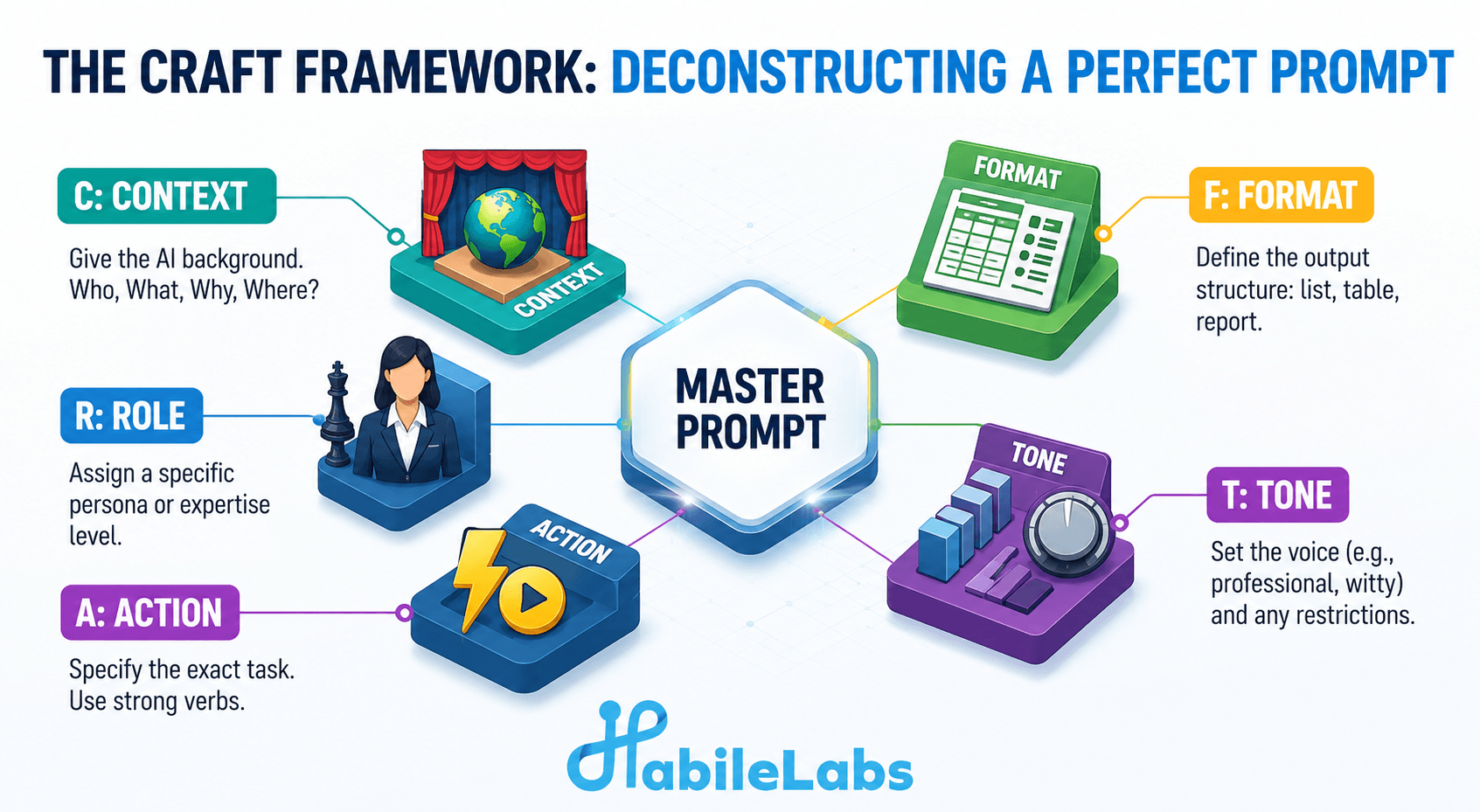
C: Context
Give the AI the background it needs to do the job properly. Who is this for? What situation is it for? What does the AI need to know about your business, your audience, or the problem at hand?
R: Role
Tell the AI what it should act as. "You are a senior sales manager reviewing a deal brief" produces a very different result than the same prompt with no role instruction. Roles anchor the tone, expertise level, and perspective of the output.
A: Action
State the specific task clearly. Not "help me with this document," but "rewrite the executive summary of this document to emphasize ROI rather than features." The more specific the action, the less the AI has to guess.
F: Format
Specify what the output should look like, a bulleted list, a one-page summary, a table, a three-paragraph email, a step-by-step checklist. Without a format instruction, the AI picks its own, and it may not match what you actually need.
T: Tone and Constraints
Tell the AI how the output should sound and what boundaries it must respect: professional but conversational, plain English, no jargon, do not include pricing, do not exceed 200 words, or focus only on your existing product line. This is where you prevent the output from drifting away from what the task actually requires.
Used together, these five elements take a prompt from a rough question to a precise instruction. You don't need all five every time, but the more you include, the less cleanup you'll do afterward.
Best Practice #1: Establish the Role First, Then Start the Task
The most consistent improvement most business users can make is adding a role instruction before the task.
Instead of: "Summarize this customer complaint."
Try: "You are a customer experience manager preparing a case summary for the support team. Summarize this complaint, identify the root cause, and suggest one action the team can take to resolve it."
Role instructions do two things: they set the expertise level of the response, so the AI writes at the right depth, and they anchor the perspective, so the output is shaped by a specific point of view rather than a generic one.
Best Practice #2: Give Context, Not Just Commands
AI tools don't know your business, your customers, or your internal situation unless you tell them. The more relevant context you include, the more relevant the output will be.
This doesn't mean writing long prompts for everything, it means including the details that actually change the output:
- Who the audience is
- What decision the output will inform
- Any relevant background (a product launch, a client relationship, a policy change)
- What has already been tried or decided
A useful way to think about it: if you were asking a new colleague to help with this task on their first day, what would you need to tell them to get something useful back? That's the context your prompt needs.
Best Practice #3: Specify the Output Format Explicitly
One of the quickest ways to reduce AI output that needs heavy editing is to describe the format you want before you have to reformat it.
If you need a table, say so. If you need bullet points, say so. If you need a three-paragraph narrative with a summary line at the end, describe that structure in the prompt.
Format instructions also help inside specific tools. If the output is going into a slide deck: "write this as five short bullet points, each under ten words." If it's going into an email: "write this as a professional email with a subject line, a two-sentence opening, a short body, and a clear call to action."
The AI will follow format instructions reliably, most users just forget to include them.
Best Practice #4: Use Constraints to Prevent the Output You Don't Want
A good prompt doesn't just describe what you want. It also describes what you don't want, or what the AI should avoid.
This matters in business contexts more than most people realize. If you're drafting a client email, you might need to avoid mentioning a competitor, referencing a price point that's changed, or making a commitment the account team hasn't approved. None of that is obvious to the AI unless you say it.
Constraint instructions can be simple:
- "Do not include pricing or contract terms."
- "Avoid technical language, the audience is non-technical stakeholders."
- "Keep the tone neutral. This document may be shared externally."
- "Do not refer to specific individuals by name."
Constraints matter most when AI output will be reviewed or sent externally. Building them into the prompt from the start is far more efficient than editing them out afterward.
Best Practice #5: Show an Example When Precision Matters
When you need the output to match a specific style, format, or structure, the fastest way to communicate that is to show an example of what you want.
This is called few-shot prompting, and it works even without knowing the technical term:
"Write a one-sentence product description in the same style as this example: [paste example]. Now write one for [new product]."
Examples remove ambiguity that even detailed instructions sometimes leave. If you have a template, a past document, or a sample output you're happy with, including it in the prompt is one of the highest-value things you can do.
Best Practice #6: Treat Prompts as Drafts, Not One-Shot Attempts
The most common mistake business users make with AI isn't a bad first prompt, it's not improving that prompt when the output isn't quite right.
If the output misses the mark, don't start over from scratch. Look at what the output is and ask what was missing from the instruction that led to this. Then add that element to the prompt and run it again.
This iterative approach is what separates teams that get steadily better results over time from teams that stay frustrated. Prompts are drafts, just like the documents you're using AI to help create, the first version isn't supposed to be perfect.
When you find a prompt structure that works well for a recurring task, write it down and reuse it. A small internal library of tested prompts for your most common use cases saves more time than any individual output.
Common Mistakes Business Teams Make
The CRAFT framework and the best practices above cover what good prompting looks like. But there's a shorter list of habits that consistently produce poor results, and most teams share at least two or three of them without realizing it.
- Being too vague about the audience. "Write this for our customers" is different from "write this for mid-level procurement managers in the manufacturing sector who are evaluating three vendors." The more specific the audience, the more targeted the output.
- Skipping the format instruction. The AI will choose a format if you don't, it may choose well, or it may produce a five-paragraph essay when you needed four bullet points. Specify it.
- Forgetting constraints until after. Building guardrails into the prompt upfront prevents having to strip things out later, and reduces the risk of sensitive information appearing in a client-facing document.
- Treating a failed output as a tool failure. Most poor outputs are recoverable with a better prompt. Before switching tools or giving up on a task, try adding one more piece of context or one additional constraint.
- Not saving prompts that worked. If a prompt produced something genuinely useful, it has reuse value. Storing it takes ten seconds and saves significant time the next time the same task comes up.
None of these are hard to fix. They're just easy to overlook when prompting still feels like something you do quickly rather than something worth doing deliberately.
How HabileLabs Helps?
We've worked with enough business teams deploying AI to know that prompting is where adoption either picks up momentum or stalls out. Teams with a consistent, shared approach to prompting get more reliable outputs, review less, and trust their AI tools faster. Teams without one end up redoing the same tasks because the output is inconsistent.
HabileLabs helps organizations build that consistency at the team level, not just the individual level, whether you're rolling out an AI assistant for the first time or moving from scattered individual usage to something that scales. Prompt quality is usually the first place to focus, and the fastest place to see improvement.
If you want to see what better prompting looks like for your specific use cases, connect with the HabileLabs team.
Where to Start
Writing better AI prompts doesn't require a course or a technical background. It requires treating prompts as instructions worth thinking through rather than questions worth guessing at.
Start with one recurring task your team already handles in an AI tool. Apply the CRAFT framework, save the prompt when it works, and share it with one colleague. Over time, that simple habit turns prompt writing from individual trial and error into a shared team capability.
The gap between AI that feels unreliable and AI that feels genuinely useful is, most of the time, a better prompt away.