





Salesforce ITSM vs ServiceNow ITSM: The Complete 2026 Comparison
ByDishank Sharma

If you’re evaluating Salesforce ITSM vs ServiceNow ITSM, you’re choosing between two very different starting points for the same goal: fewer broken things, faster fixes, and IT operations that don’t drown your team in tickets. ServiceNow built its name on IT service management and still runs it as a dedicated, standalone discipline. Salesforce is the newer entrant, bringing ITSM (via Agentforce IT Service, previously marketed as Agentic IT Service) into its CRM and Data Cloud ecosystem.
Neither answer is universally “better.” The right pick depends on whether IT is the center of your organization’s software stack, or one workflow among many that also has to talk to sales, service, and customer data. This guide breaks down the two platforms across the criteria that actually decide implementations: core ITSM depth, AI/agentic capabilities, CMDB and IT operations management, pricing structure, implementation timeline, and ecosystem fit, so you can match the platform to your environment instead of the marketing.
Quick Answer: Salesforce ITSM vs ServiceNow ITSM at a Glance
| Category | Salesforce ITSM (Agentforce IT Service) | ServiceNow ITSM |
|---|---|---|
| Best for | Organizations already running Salesforce (Service Cloud, Sales Cloud, Data Cloud) that want IT folded into that ecosystem | Organizations that treat IT service management as a dedicated, standalone discipline at enterprise scale |
| Core strength | Unified customer and employee data, fast configuration, low-code setup | Deep, mature ITSM/ITOM feature set built specifically for IT operations |
| CMDB / ITOM | Lighter-weight; leans on integrations and Data Cloud rather than a dedicated CMDB | Native, mature Configuration Management Database (CMDB), widely regarded as an industry benchmark |
| AI approach | Agentforce (Atlas Reasoning Engine), grounded in CRM/Data Cloud objects | Now Assist, grounded in ITSM/ITOM workflow records; more rule-based unless paired with AI add-ons |
| Pricing model | Per-user/per-month editions, published pricing, add-ons (Data Cloud, Agentforce) increase cost | Custom quote-based, typically priced per “fulfiller” (agents doing the work), bundled into Standard/Professional/Enterprise packs |
| Implementation timeline | Faster: commonly 8 to 16 weeks, especially on an existing Salesforce org | Longer: comprehensive setup and CMDB governance require more upfront planning |
| Ecosystem fit | Strongest when IT, sales, and customer service need to share one data model | Strongest when IT is the central operational nerve system, feeding other departments |
What Is Salesforce ITSM (Agentforce IT Service)?
Salesforce’s move into ITSM is a relatively recent one. Salesforce CEO Marc Benioff has been vocal about the company pushing into IT service management, a space long dominated by ServiceNow, positioning Agentforce IT Service as an AI-first alternative built on the existing Salesforce platform. Rather than being a bolt-on, it’s built on the same Data Cloud and Agentforce AI layer that powers the rest of Salesforce, meaning incident, request, and knowledge data can sit alongside customer and employee records already in the org.
Core capabilities:
- Incident, problem, and change management on the standard Salesforce object model.
- Agentforce-powered virtual agents that can search knowledge and take action (not just answer questions) before a ticket is ever created.
- Native integration with Service Cloud, Experience Cloud (self-service portals), and Slack.
- Low-code configuration via Flow, meaning administrators, not just developers, can build and adjust workflows.
- Real-time grounding in Data Cloud, so a request from a VIP employee or a business-critical account can be automatically prioritized differently than a routine one
Where it’s thinner: Salesforce doesn’t ship a dedicated, mature Configuration Management Database (CMDB) the way ServiceNow does, and its IT Operations Management (ITOM), meaning infrastructure monitoring, discovery, and event correlation, remains lighter, generally requiring third-party integrations (Aisera, Cadalys, MuleSoft-connected tools) to reach ServiceNow-level depth.
What Is ServiceNow ITSM?
ServiceNow is the incumbent for a reason. It commands roughly 40% of the ITSM software market and has approximately 8,600 ITSM customers, according to IDC figures: a scale advantage built over nearly two decades of being purpose-built for IT operations.
Core capabilities:
- Comprehensive incident, problem, change, request, and asset management, all unified on a single CMDB data model.
- IT Operations Management (ITOM) for infrastructure monitoring, event correlation, and automated remediation at the infrastructure layer.
- Now Assist, ServiceNow’s generative and agentic AI layer, grounded directly in ITSM/ITOM records.
- Deep configurability across a broad IT Business Management (ITBM) suite, including project portfolio management, software asset management, security operations, and more, all natively connected
Where it’s thinner: That depth comes at a cost of complexity. Implementations require significant strategic planning and governance, the CMDB is powerful but resource-heavy to maintain, and ServiceNow’s own users report that workflows like change task (CTASK) requirements and stage-reversion rules can create bureaucratic friction if governance isn’t set up carefully.
Salesforce ITSM vs ServiceNow ITSM: Feature-by-Feature Breakdown
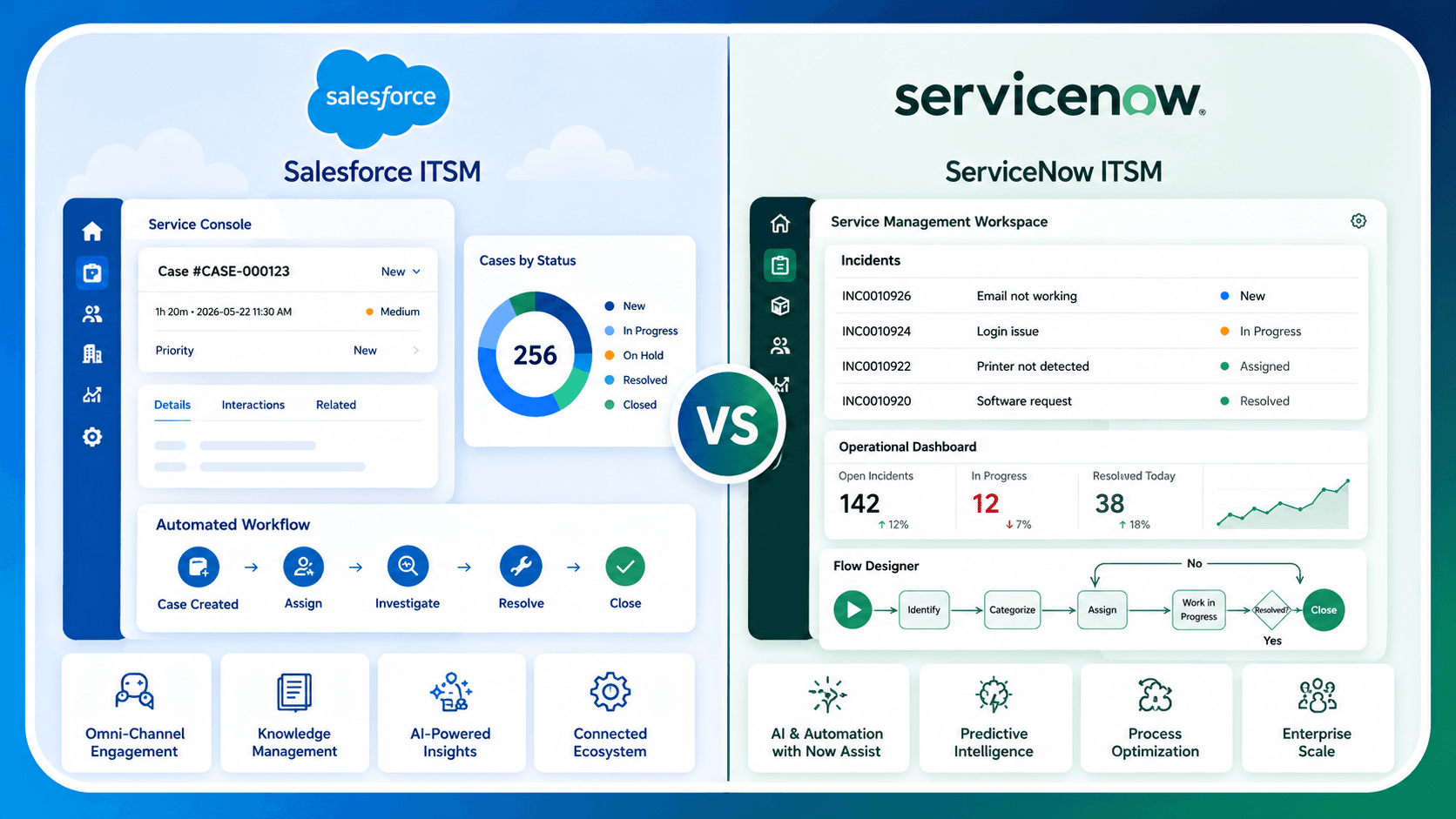
1. AI and Agentic Capabilities
This is the sharpest current battleground. Salesforce’s Agentforce runs on a purpose-built reasoning engine (Atlas) and is grounded in CRM and Data Cloud objects, meaning its agents naturally understand customer context alongside IT context. Gartner’s ITSM forecasts project that by 2026, a large share of ITSM tasks will be automated by AI agents, up sharply from a decade earlier, and Salesforce has built its pitch squarely around getting ahead of that shift.
ServiceNow’s Now Assist is grounded in workflow and operational records instead, which makes it strong for IT-specific reasoning (correlating an infrastructure event with likely root cause, for example) but historically more rule-based unless layered with AI add-ons. One practical difference worth budgeting for: ServiceNow doesn’t publish AI pricing directly. Now Assist requires a base Pro or Enterprise-level ITSM license, then a separate Pro Plus or Enterprise Plus add-on, which stacks costs in a way that’s hard to estimate before procurement.
2. CMDB and IT Operations Management
If configuration management and infrastructure-layer automation are central to your IT strategy, ServiceNow’s CMDB remains the benchmark most analysts point to: a single, unified data model that ties assets, services, and dependencies together, described by Gartner Peer Insights reviewers as the platform’s architectural strength. Salesforce doesn’t compete head-on here; it’s a genuinely different bet, prioritizing unified customer/employee context over infrastructure-layer depth.
3. Implementation Speed and Admin Experience
Organizations already on Salesforce report meaningfully faster time-to-value, commonly 8 to 16 weeks, because there’s no new platform to learn, no separate identity/data model to reconcile, and low-code Flow-based configuration that admins (not just certified developers) can maintain. ServiceNow implementations, particularly ones that build out a proper CMDB and governance model from scratch, typically require a longer runway and more specialized ServiceNow expertise.
4. Pricing Structure
Salesforce publishes per-user, per-month edition pricing, which makes top-down budgeting easier, though costs climb quickly once you add Data Cloud, Agentforce consumption pricing, or other add-ons. ServiceNow’s pricing is quote-based and typically scoped around the number of “fulfillers” (the people actually doing IT work) rather than every licensed user, bundled into Standard, Professional, or Enterprise packs. For many mid-market and enterprise organizations, total cost of ownership on either platform can reach six or seven figures annually. The real differentiator is predictability (Salesforce) versus scope-fit flexibility (ServiceNow).
5. Ecosystem and Data Unification
This is arguably the real decision point. If your organization’s core question is “how do we keep IT, sales, service, and customer data in one place,” Salesforce’s pitch, one platform, one data model, one AI layer across departments, is compelling, especially if you’re already running Service Cloud or Sales Cloud. If your core question is “how do we run IT operations at enterprise scale, with deep configuration management and a mature ITOM layer,” ServiceNow’s specialization is hard to match.
It’s also increasingly common for large enterprises to run both: Salesforce Service Cloud handling the customer-facing side, integrated with ServiceNow ITSM handling the internal IT resolution, connected via MuleSoft or ServiceNow’s own automation tooling. This “better together” pattern is now common enough among Fortune 500 companies that the comparison isn’t always strictly either/or.
Salesforce ITSM vs ServiceNow: Which Should You Choose?
Choose Salesforce ITSM (Agentforce IT Service) if:
- You’re already running Salesforce Service Cloud, Sales Cloud, or Data Cloud and want to avoid standing up a second platform.
- Speed of deployment and low-code administration matter more than deep CMDB/ITOM maturity.
- You want IT service requests to be automatically contextualized against customer and employee data you already hold.
- Your IT footprint is moderate in scale rather than a sprawling, infrastructure-heavy enterprise environment.
Choose ServiceNow ITSM if:
- IT operations is a large, standalone discipline in your organization, with real infrastructure monitoring and configuration management needs.
- You need a mature, native CMDB and broader ITBM suite (security operations, project portfolio management, software asset management) on one platform.
- You’re running at a scale where dedicated ITSM depth outweighs the convenience of unifying with a CRM.
- You have (or are willing to build) in-house ServiceNow expertise to manage governance and configuration.
Weighing a move to Salesforce ITSM, or want help deciding whether your organization is a better fit for Salesforce or ServiceNow? Get in touch with our team for a tailored assessment of your current environment.